See Exactly Where Your Disk Space Goes

A free, portable disk usage analyzer for Windows — based on WinDirStat. Scan, visualize, and reclaim wasted space — no install required.

Free Forever
No Install Required
Lightning-Fast Scanning
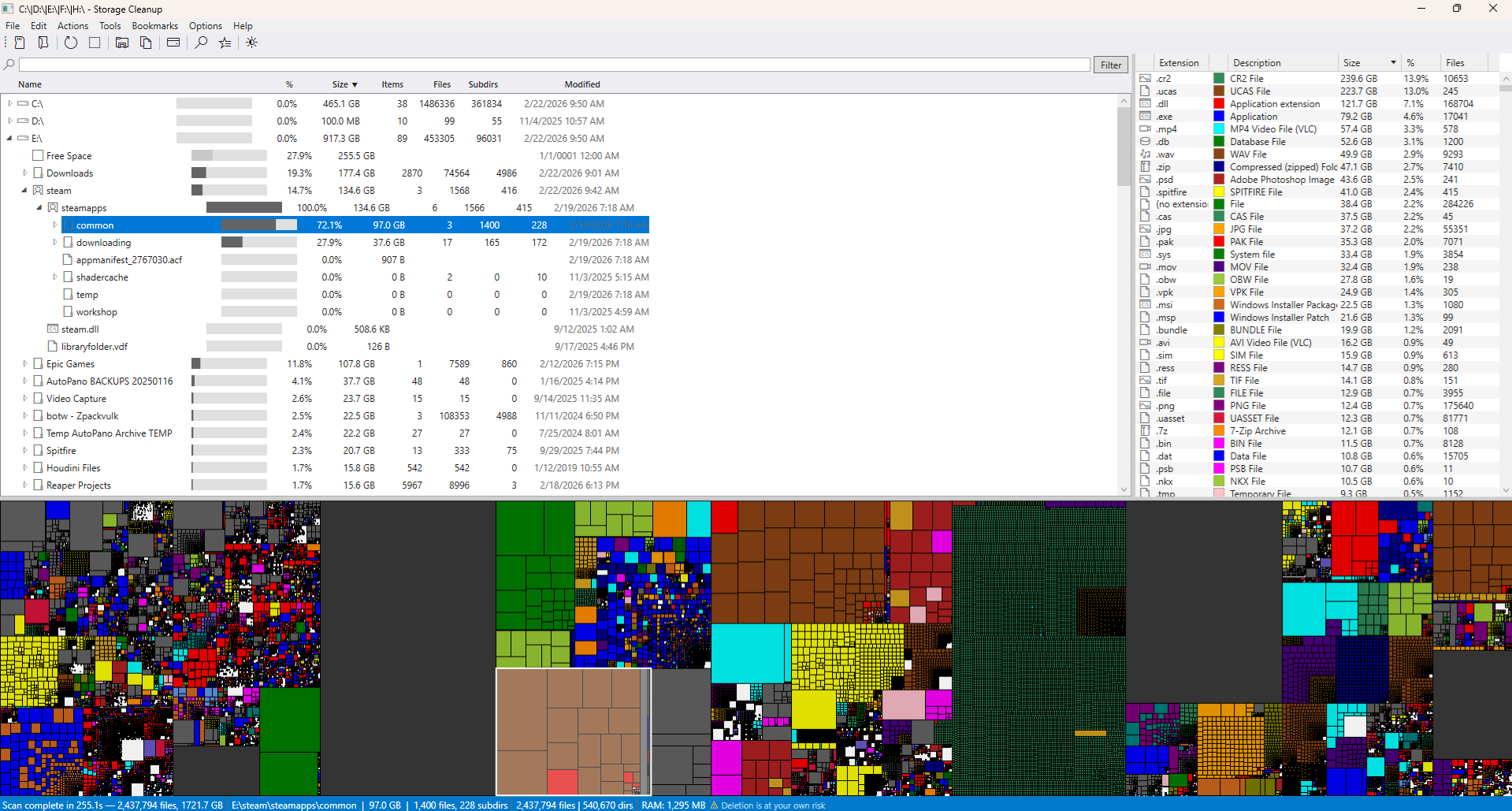
Disk Auditor for Windows main interface showing treemap visualization and directory tree
5x Faster Scanning
6 Export Formats
0 Dependencies
1 Single Portable .exe

Powerful Features

Everything you need to understand and manage your disk space.

Lightning-Fast Scanning

Parallel enumeration with low-level Windows APIs scans drives at blazing speed.

Powerful Search

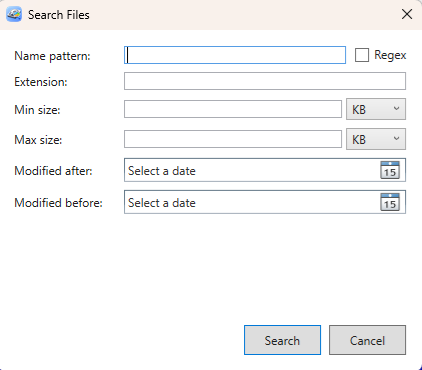
Wildcard and regex name patterns, extension, size range, and date filters. Find exactly the files you're looking for.

Export Everything

Export scan results in CSV, TSV, JSON, Excel (.xlsx), or plain text. Share reports with your team or keep records.

Directory Comparison

Compare two directories side-by-side. See files unique to each location or changed between the two.

Interactive Treemap

Color-coded rectangle visualization where each block is sized proportionally to disk usage. Click to explore any directory.

Sunburst Chart

Concentric-ring visualization showing directory depth at a glance. The center is the root; each outward ring goes one level deeper.

Duplicate File Finder

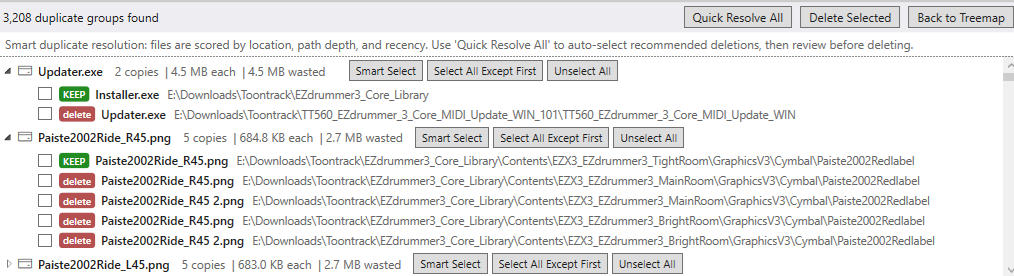
3-phase detection — size grouping, quick hash, then full content hash — with smart resolution scoring and one-click cleanup.

File Age Analysis

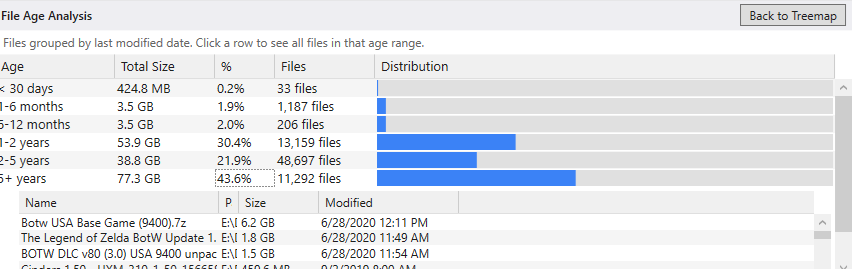
Groups files by last-modified date into age buckets with visual bars. Quickly identify old files that may be safe to remove.

Folder Watch & Alerts

Monitor folders with configurable size thresholds. Get notified when a watched folder exceeds its limit.

See It In Action

Click any screenshot to view full size.

Main interface with treemap and directory tree

Interactive treemap with directory tree overview

Duplicate file finder results showing grouped duplicates

Duplicate file detection with smart resolution

File age analysis showing distribution by date

File age analysis with visual distribution

Advanced search dialog with multiple filter criteria

Powerful multi-criteria file search

Download Disk Auditor for Windows

Single portable executable. No installation, no dependencies — just download and run.

Download Disk Auditor for Windows (v1.0.2)

Platform Windows 10 or later (x64)
Dependencies None — .NET 9 is bundled inside
Installation Not needed — portable single file
Export Formats CSV, TSV, JSON, Excel, Plain Text

Verify Your Download

SHA-256 4f52540f82f934a4912d2d7de3f80673aa78a2800b3fb7b3c5052cc7818b96bf
SHA-512 eeec5491aca77b7993960d3bcc0a1b36770d91c9fca5737163f9faa87411d43dd88a7d900ca00a0eb88f4e65493c9c3dcb8759b72da232946fc53634fd516524

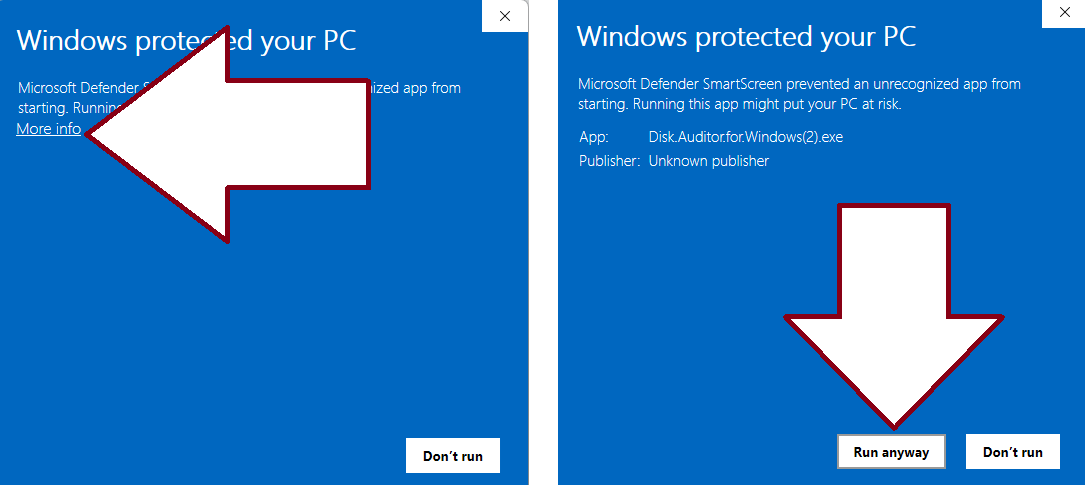
Note: This application is not code-signed. Windows SmartScreen may show a warning on first launch. Click "More info" then "Run anyway" to proceed. You can verify the download integrity using the checksums above.

Windows SmartScreen: click 'More info' then 'Run anyway'

Enjoying Disk Auditor?

Disk Auditor is free and always will be. If it saved you time, consider leaving a tip!

Leave a Tip on Ko-fi